
Tech
Google Launches Gemini App for MacBooks, Expanding AI Assistant Beyond the Browser

- /home/u299404478/domains/toplisted.in/public_html/wp-content/plugins/mvp-social-buttons/mvp-social-buttons.php on line 27
https://toplisted.in/wp-content/uploads/2026/04/7-11-1000x600.webp&description=Google Launches Gemini App for MacBooks, Expanding AI Assistant Beyond the Browser', 'pinterestShare', 'width=750,height=350'); return false;" title="Pin This Post">
- Share
- Tweet /home/u299404478/domains/toplisted.in/public_html/wp-content/plugins/mvp-social-buttons/mvp-social-buttons.php on line 72
https://toplisted.in/wp-content/uploads/2026/04/7-11-1000x600.webp&description=Google Launches Gemini App for MacBooks, Expanding AI Assistant Beyond the Browser', 'pinterestShare', 'width=750,height=350'); return false;" title="Pin This Post">
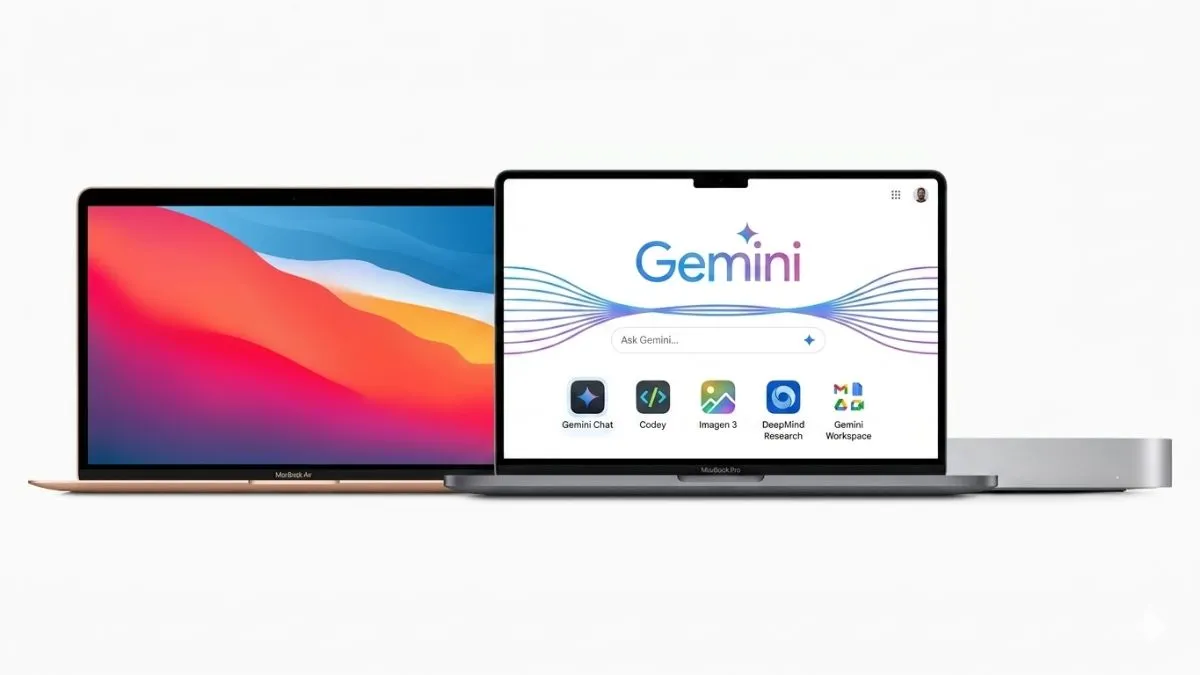
Google has officially launched a native version of its AI assistant Gemini for MacBooks, marking a significant step in expanding its AI ecosystem beyond web browsers.
The move puts Google in direct competition with AI platforms like OpenAI and Anthropic, both of which already offer dedicated desktop applications.
💻 Native Mac app: Faster and more seamless
With the new app, Mac users no longer need to access Gemini through a browser. Instead, the AI assistant is now fully integrated into macOS, offering a smoother and more responsive experience.
The app is free to download globally for users who have access to Gemini.
⚙️ Compatibility and availability
Currently, Gemini’s Mac app supports devices running macOS 15 or later. Users can download it directly from Google’s official website without complicated setup steps.
The timing aligns with growing interest in AI features across Apple devices, especially as Apple continues to enhance its ecosystem with smarter assistant capabilities like Siri.
⌨️ Instant access with keyboard shortcut
One of the standout features is quick access via a simple shortcut:
Option + Space instantly opens Gemini from anywhere on the system.
This eliminates the need to switch tabs or launch a browser, making it ideal for multitasking and productivity.
🧠 Smart contextual features
The Gemini Mac app goes beyond simple chat functionality. It introduces context-aware tools that allow users to:
- Share their screen for real-time analysis
- Upload documents and files
- Get summaries of charts, PDFs, and spreadsheets
- Receive writing assistance and research help
- Generate formulas and structured outputs
This makes it useful for students, professionals, and creators alike.
🎨 Built-in creative AI tools
Gemini also integrates creative capabilities, including:
- AI image generation tools
- Video creation support powered by Google’s advanced models
This transforms Gemini from a Q&A assistant into a full creative and productivity suite.
🚀 Expanding features across platforms
Google is continuing to expand Gemini’s functionality across platforms. On Chrome, new features like “Skills” allow users to save and reuse prompts for repetitive tasks.
Additionally, students preparing for competitive exams like NEET can access mock tests through Gemini, thanks to collaborations with platforms like Physics Wallah and Careers360.
📊 Why this launch matters
By bringing Gemini directly to Mac, Google is making its AI assistant more accessible and deeply integrated into everyday workflows. This launch signals a broader shift toward AI-first computing, where assistants are embedded at the operating system level rather than confined to browsers.












Gadgets
Oppo Reno 16 Pro Price, Colours Leaked Ahead of China Launch; New Oppo Tablet Details Surface
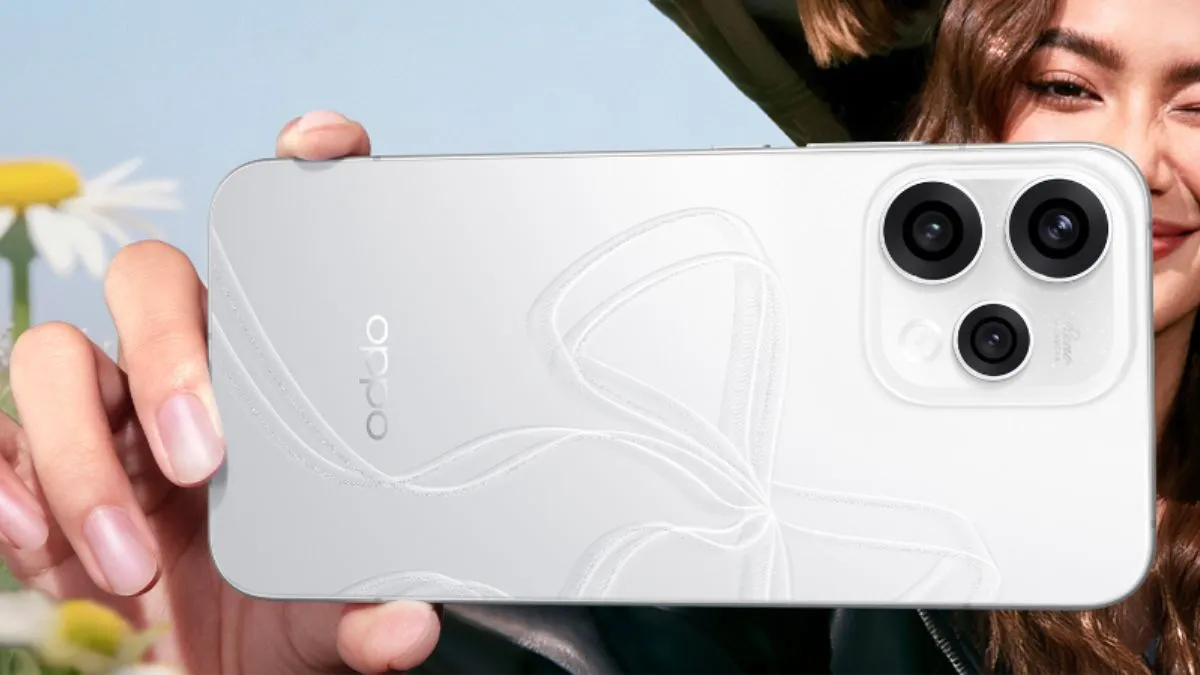
Chinese smartphone maker Oppo is reportedly preparing to unveil its next-generation Reno 16 series in China later this month. Ahead of the official launch, fresh leaks have revealed possible colour variants, expected pricing details, and early specifications of a new Oppo tablet expected to debut alongside the smartphones.
The upcoming lineup is expected to include:
- Oppo Reno 16
- Oppo Reno 16 Pro
Both devices are likely to focus heavily on AI-powered features, premium design, and upgraded hardware.
Oppo Reno 16 Series Colour Options Leaked
According to leaks shared by popular tipster Digital Chat Station on Weibo, the standard Reno 16 could arrive in four colour variants:
Oppo Reno 16 Colours
- Fairy Purple
- Lucky Clover
- Black Horse
- Heartbeat Star
Meanwhile, the Oppo Reno 16 Pro may launch in:
- Dream Blue
- Black Horse
- Heartbeat Star
The naming suggests Oppo may continue its trend of vibrant and fashion-focused smartphone finishes.
AI Features Could Be a Major Highlight
The leak also hints at a new AI-driven secondary display experience reportedly called “Oppo Bubble.”
While official details remain limited, the feature is expected to:
- Deliver smart notifications
- Enable AI-powered interactions
- Improve multitasking and personalization
This aligns with the growing industry trend of integrating AI more deeply into smartphone software experiences.
Expected Oppo Reno 16 Pro Price
The Oppo Reno 16 Pro is tipped to launch at around:
- CNY 4,000 in China
- Approximately ₹56,000 in India currency conversion
If accurate, the device would compete in the premium mid-range smartphone segment.
The smartphone is expected to offer:
- Improved camera capabilities
- Faster performance
- Enhanced AI functionality
- Premium build quality
Oppo Tablet Specifications Also Surface
In addition to the Reno smartphones, Oppo is also rumoured to launch a new high-performance tablet.
Leaked Oppo Tablet Specifications
- Display: 12.1-inch LCD panel
- Resolution: 3K
- Refresh Rate: 144Hz
- Processor: MediaTek Dimensity 9500s
- RAM: Up to 16GB
- Storage: Up to 512GB
- Battery: 10,420mAh
Despite the large battery, the tablet is said to remain:
- Just 5.99mm thin
- Around 577 grams in weight
Expected Tablet Colours
- Galaxy Silver
- Starlight Blue
- Deep Space Grey
Oppo’s Strategy for 2026
The Reno 16 series appears to reflect Oppo’s broader strategy of:
- Expanding AI integration
- Strengthening premium mid-range offerings
- Competing more aggressively with rival Android brands
The launch may also showcase Oppo’s growing ecosystem approach, combining smartphones and tablets with interconnected AI features.
Launch Timeline
Although Oppo has not officially confirmed the launch date:
- Multiple leaks suggest a China launch later in May
- Global and India launches could follow in the coming months
More official teasers are expected soon.
Final Takeaway
With leaked pricing, colour variants, AI-focused software features, and a powerful new tablet, Oppo’s upcoming Reno 16 lineup is shaping up to be one of the company’s major launches of 2026.
If the leaks prove accurate, the Reno 16 Pro could become a strong contender in the premium mid-range smartphone segment, while the new tablet may target users seeking high refresh-rate productivity and entertainment devices.
Tech
What Is BSNL Kavach? New Privacy Shield Lets Users Recharge Securely Without Sharing Real Number

State-run telecom operator Bharat Sanchar Nigam Limited (BSNL) has introduced a new privacy-focused feature called BSNL Kavach, aimed at helping users—especially women—protect their mobile numbers while recharging or interacting with unknown individuals.
The service provides users with a temporary virtual mobile number, allowing them to carry out activities like mobile recharges without exposing their actual phone number.
What Exactly Is BSNL Kavach?
BSNL Kavach acts as a privacy shield between users and third parties.
Instead of sharing your real BSNL number:
- You receive a temporary 10-digit virtual number
- The virtual number is linked to your original account
- Recharges and services still work normally
This means users can safely share the Kavach number in public or offline settings while keeping their real number hidden.
How BSNL Kavach Works
Once activated:
- BSNL assigns a virtual number to the user
- That number remains linked to the actual BSNL account
- Any recharge done using the virtual number reflects directly in the main account
The system is especially useful at:
- Local recharge shops
- Offline payment counters
- Situations where users do not want to reveal personal details
How to Activate BSNL Kavach
Through the BSNL SelfCare App
Users can:
- Download the app
- Log in with BSNL credentials
- Select the Kavach option
- Request a virtual number
The temporary number appears within the app after activation.
Via Official BSNL Website
Users can also apply through the official
BSNL website.
Through Customer Care
By contacting BSNL support:
- Verification details are collected
- The Kavach number is sent via SMS after approval
Why BSNL Kavach Matters
The service is particularly important for women users, as sharing personal numbers publicly can sometimes lead to:
- Spam calls
- Harassment
- Data misuse
- Privacy concerns
By masking the original number, BSNL Kavach adds an extra layer of digital safety.
Growing Importance of Digital Privacy
As cyber fraud and unwanted marketing calls continue to rise in India, services like BSNL Kavach reflect a broader focus on:
- User privacy
- Safer telecom usage
- Protection of personal information
The feature may also appeal to:
- Students
- Senior citizens
- Professionals using public recharge services
Is BSNL Kavach Free?
As of now:
- BSNL has not officially confirmed pricing details
- No separate charges have been announced publicly
More information may become available during the wider rollout.
Final Takeaway
With BSNL Kavach, Bharat Sanchar Nigam Limited is taking a privacy-first approach by helping users recharge and communicate more securely without exposing their real mobile numbers.
In an era where personal data protection is becoming increasingly important, the feature could prove to be a useful step toward safer mobile usage in India.
Tech
Epson EH-LS9000B 4K Projector Launched in India: 300-Inch Display, Laser Technology and Smart Home Features
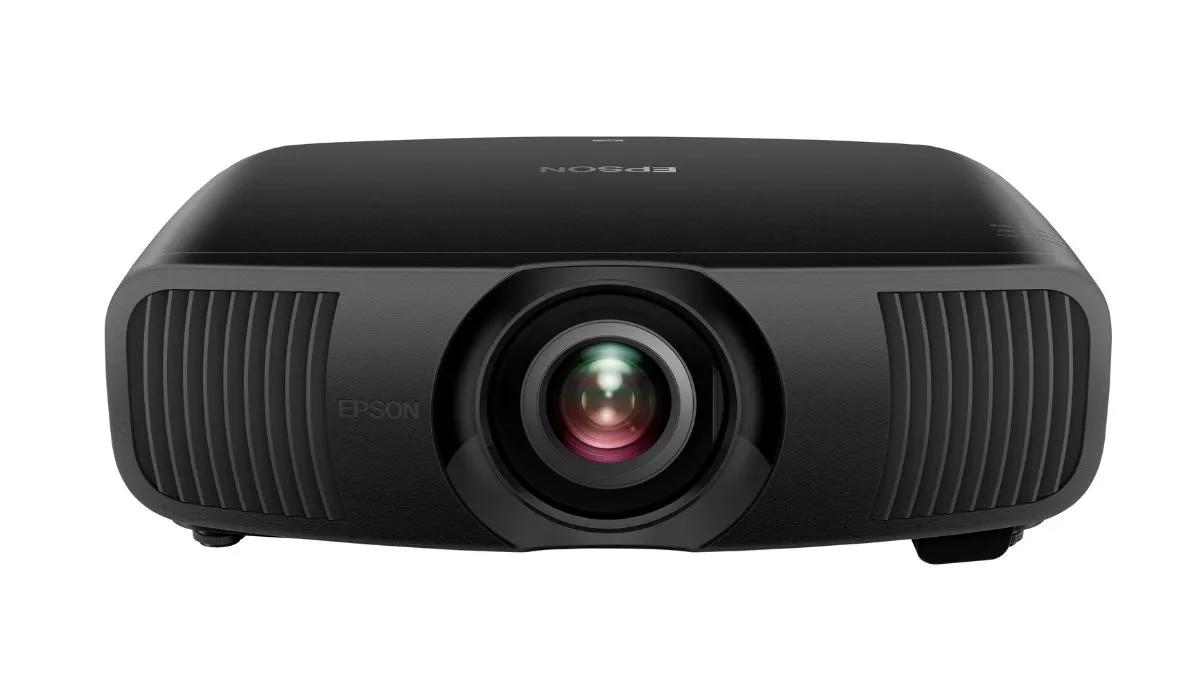
Epson has officially launched its premium:
Epson EH-LS9000B 4K Home Theatre Projector
in India, targeting users looking for a high-end cinematic viewing experience at home.
The newly launched projector brings:
- true 4K resolution
- advanced 3LCD laser projection technology
- smart home integration
- and support for a giant 300-inch display.
The device is positioned as part of Epson’s flagship home entertainment lineup and is aimed at:
- home theatre enthusiasts
- gamers
- luxury homeowners
- and premium AV setups.
Epson EH-LS9000B Key Specifications
Display and Projection
The:
Epson EH-LS9000B 4K Home Theatre Projector
offers:
- native 4K resolution
- 3820 × 2160 pixel output
- support for ultra-large screen projection up to 300 inches.
The projector is designed to deliver:
- sharp visuals
- detailed textures
- vibrant colours
- and immersive viewing.
Advanced 3LCD Laser Technology
One of the biggest highlights of the projector is Epson’s:
3LCD laser projection system
Unlike traditional lamp-based projectors, laser technology offers:
- longer lifespan
- better brightness consistency
- lower maintenance
- faster startup times
- and improved colour accuracy.
The projector delivers:
- brightness up to 2,200 lumens
- contrast ratio exceeding 2,500,000:1.
This helps produce:
- deeper blacks
- brighter highlights
- and more cinematic image quality.
Massive 300-Inch Screen Experience
The:
Epson EH-LS9000B 4K Home Theatre Projector
supports projection sizes up to:
300 inches
This makes it suitable for:
- dedicated home theatres
- luxury living rooms
- private screening spaces
- sports viewing
- OTT streaming
- and next-generation gaming setups.
A 300-inch display can create a theatre-like atmosphere that far exceeds the size of conventional televisions.
Designed for Premium Home Entertainment
Epson is clearly targeting the growing premium home entertainment market in India.
The projector is ideal for users who want:
- cinematic movie nights
- large-format sports streaming
- immersive console gaming
- and smart home integration.
The increasing popularity of:
- OTT platforms
- gaming consoles
- and luxury home theatre installations
has boosted demand for ultra-premium projectors in India.
Smart Home and AV Integration Features
The projector also supports modern:
- smart home ecosystems
- and AV automation setups.
Connectivity options include:
- HDMI with eARC/ARC
- RS-232C
- Trigger Out support
- IP control integration.
These features allow the projector to work seamlessly with:
- sound systems
- automated screens
- smart lighting
- and home automation systems.
Ultra-Quiet Performance
One important feature highlighted by Epson is:
low operational noise
The projector reportedly operates at:
- just 22dB in Eco mode.
This ensures quieter performance during:
- movies
- gaming
- and late-night viewing sessions.
Low fan noise is especially important in premium home theatre environments where audio clarity matters.
Laser Light Source Lasts Up to 20,000 Hours
The:
Epson EH-LS9000B 4K Home Theatre Projector
comes with a laser light source rated for:
up to 20,000 hours
Compared to conventional projector lamps, laser systems:
- last significantly longer
- require less maintenance
- and reduce replacement costs.
For regular users, this could mean:
- several years of usage without needing major servicing.
Epson EH-LS9000B Price in India
Epson has launched the projector in India at:
Rs 3,69,999
The company is also offering:
- 3-year warranty
or - coverage up to 20,000 hours,
whichever comes first.
How It Competes in the Premium Projector Market
The Indian premium projector segment has become increasingly competitive with brands offering:
- laser projectors
- short-throw systems
- 4K projection
- and smart entertainment features.
The:
Epson EH-LS9000B 4K Home Theatre Projector
will compete against premium models from brands including:
- Sony
- BenQ
- LG
- Samsung
- and XGIMI.
However, Epson’s strengths remain:
- colour accuracy
- long-term reliability
- and professional-grade projection technology.
Why Laser Projectors Are Becoming Popular
Laser projectors are increasingly replacing traditional lamp-based systems because they offer:
- better brightness stability
- instant on/off operation
- richer colours
- lower heat generation
- and reduced maintenance.
They are also considered more energy efficient over time.
The shift toward:
- larger home entertainment setups
- streaming culture
- and gaming rooms
has accelerated adoption globally.
Who Should Buy the Epson EH-LS9000B?
The projector is best suited for:
- luxury home theatre users
- cinephiles
- gamers
- AV enthusiasts
- and users seeking ultra-large display experiences.
It may especially appeal to consumers wanting:
- projector-based home cinemas
instead of very large OLED or Mini-LED televisions.


⚽ Kolkata Derby Could Decide ISL 2026 Title Race as Five Clubs Wait on Crucial Weekend

Kerala CM Race Intensifies: Posters in Wayanad Target Rahul Gandhi and Priyanka Gandhi Vadra Amid KC Venugopal Speculation

‘Last Plate Syndrome’: Why Many Mothers Eat Last and How It Quietly Affects Their Health

Delhi Police SI Neetu Bisht Caught Taking ₹20 Lakh Bribe – Shocking Details Emerge in Corruption Probe

Ex-Cricketer Shikhar Dhawan Buys Ultra-Luxury Apartment Worth ₹69 Crore in Gurugram

Telegram Channels Disseminating Pro‑Russian Propaganda in Poland
-
 Crime & Investigation1 year ago
Delhi Police SI Neetu Bisht Caught Taking ₹20 Lakh Bribe – Shocking Details Emerge in Corruption Probe
-
 Celebrity Lifestyle1 year ago
Ex-Cricketer Shikhar Dhawan Buys Ultra-Luxury Apartment Worth ₹69 Crore in Gurugram
-
 Glamour & Entertainment1 year ago
Telegram Channels Disseminating Pro‑Russian Propaganda in Poland
-

 Bollywood1 year ago
No ₹3 Lakh Fine or 2-Year Jail: The Truth Behind the ‘Hakla’ GIF Buzz
-

 Travel & Adventure1 year ago
Best Places to Hangout in Delhi (2025): Top 10 Picks for Fun & Chill
-

 Beauty1 year ago
Top 10 Skincare Brands in India Loved by Dermatologists (2025 Update)
-

 Business1 year ago
Amazon sets 30‑day relocation deadline for corporate staff—opt out by resigning in 60 days
-

 Entertainment1 year ago
Abhijeet & Dr Tarika Reunite in CID 2 — Fans Say ‘Clear the Misunderstanding Now